Your job is hard enough.
ReporterLedger is a free Windows app that keeps the business side of court reporting in one calm place: your jobs, transcript due dates, invoices, payments, mileage and taxes. Made by Ryan Nolan, CSR 14614, a working court reporter.
Free · Windows 10 and 11 · about 110 MB · Version 0.8.14
Less office work between depos.
Everything a freelance reporter keeps track of, in one place, with the math done for you.
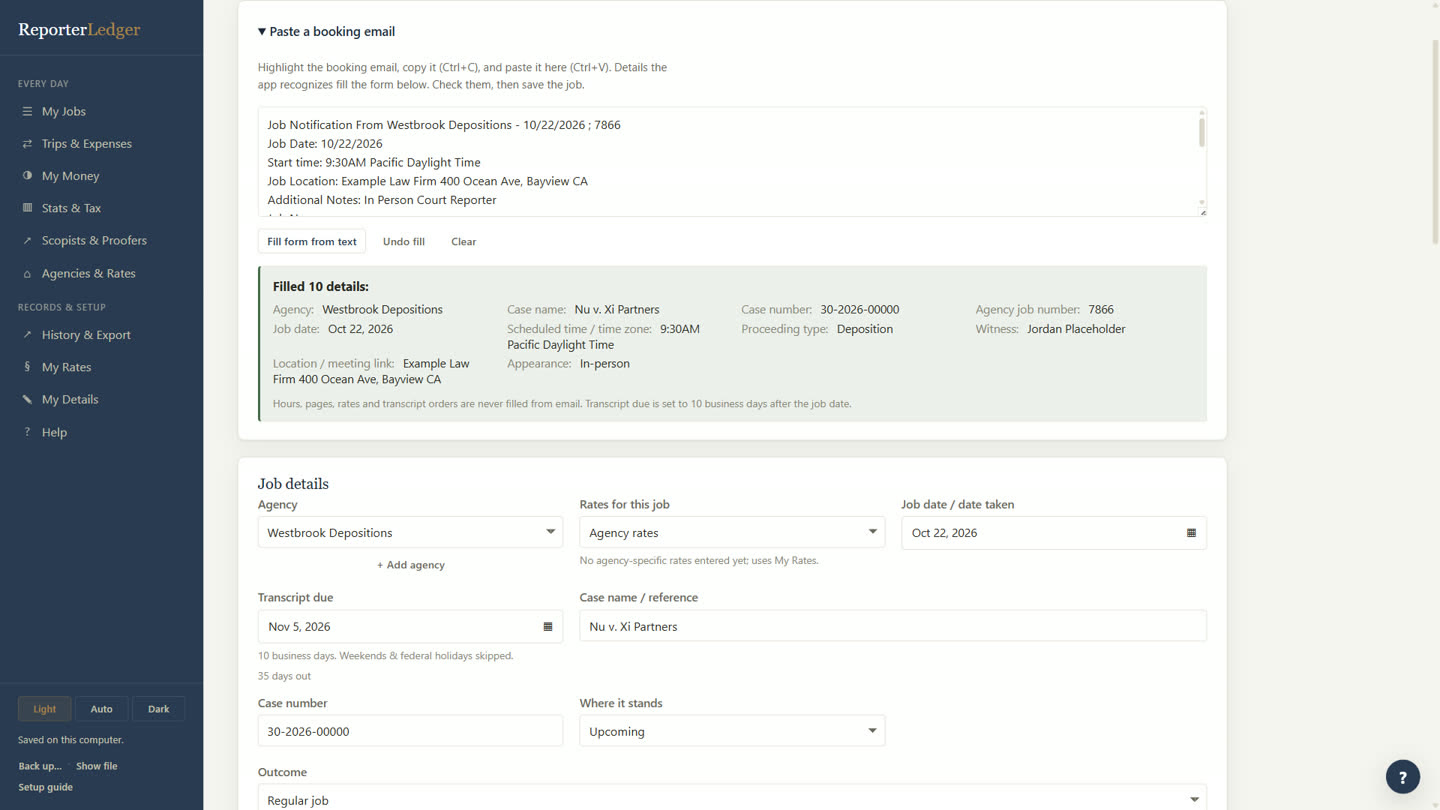
Paste the email. The job fills in.
Copy the booking email from your agency and paste it in. ReporterLedger picks out the details and fills in the job for you.
- Case, witness, date, time and location
- Agency and job number
- Transcript due date set to your usual turnaround
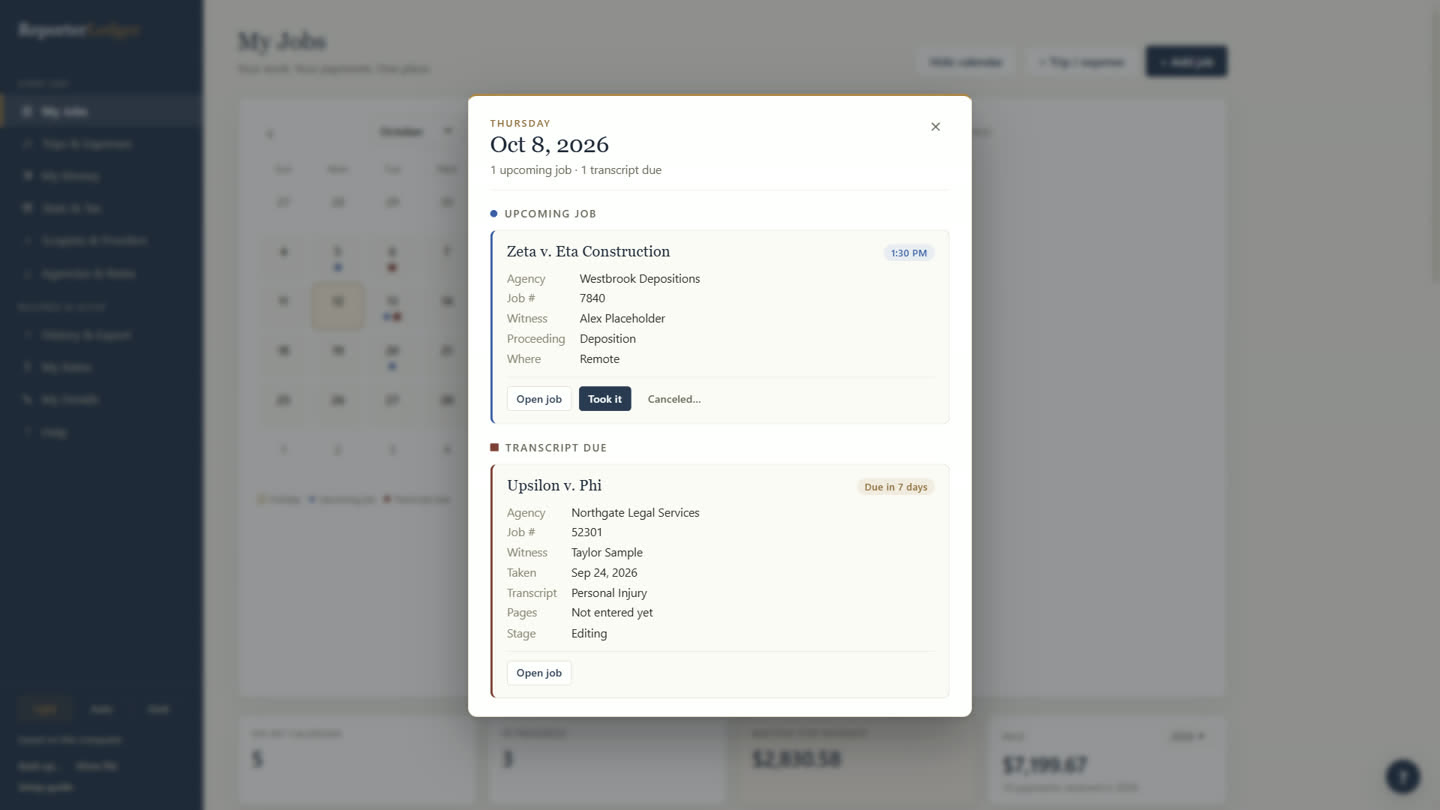
See what’s coming, and what’s due.
Upcoming jobs and transcript due dates on one calendar. Click a day to see everything on it.
- Blue dots for jobs, red for transcripts due
- “Due in 7 days”, or a gentle nudge when it’s late
- Mark a job taken, or canceled, in one click
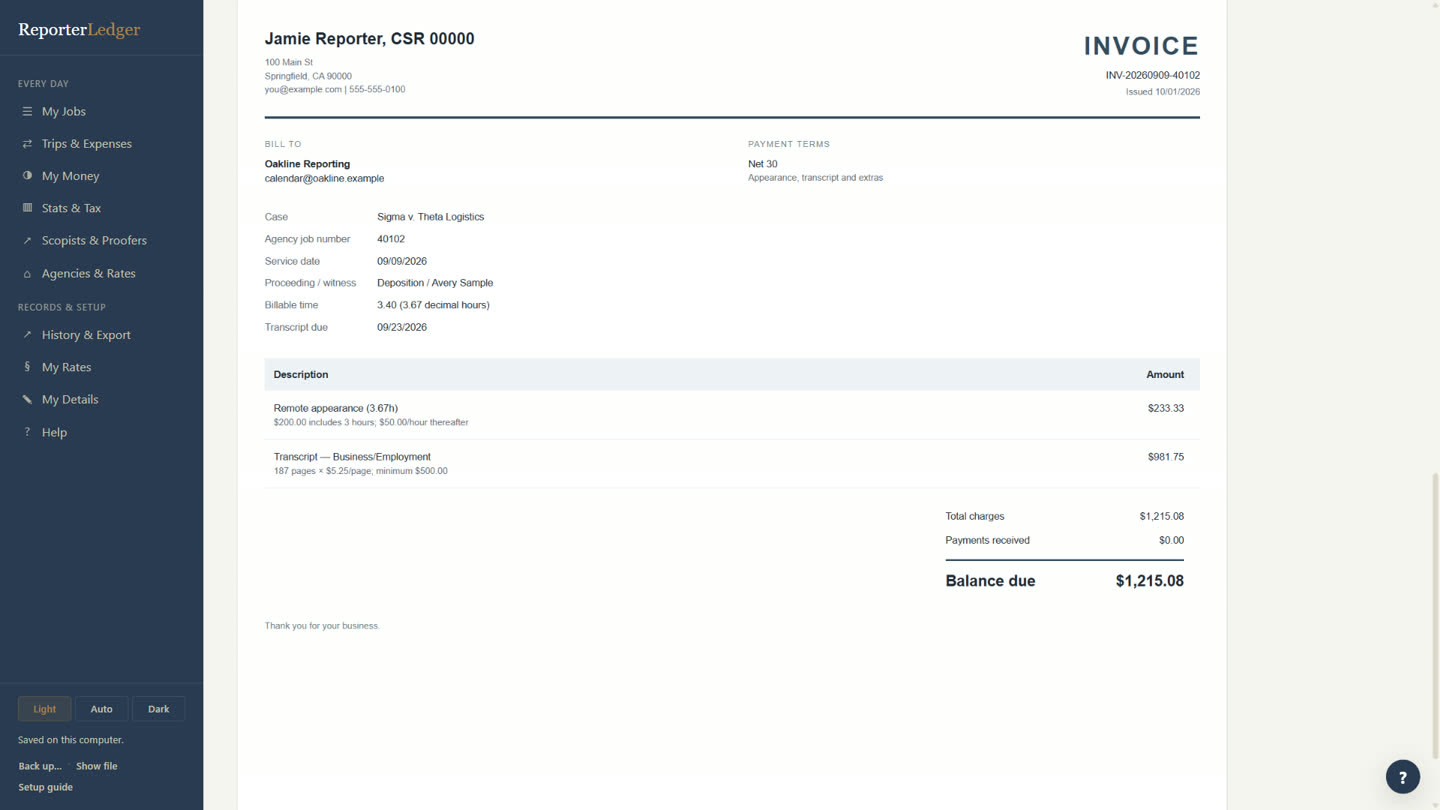
Your rates, remembered. The invoice, ready.
Set your rates once, per agency if you like. Charges are worked out for every job, and a clean PDF invoice is one click away.
- Appearance, pages, copies, rush, cancellations and bonuses
- Hours entered the way you think: 3.40 is 3 hours 40 minutes
- Fills in agencies’ own invoice and job sheet PDFs
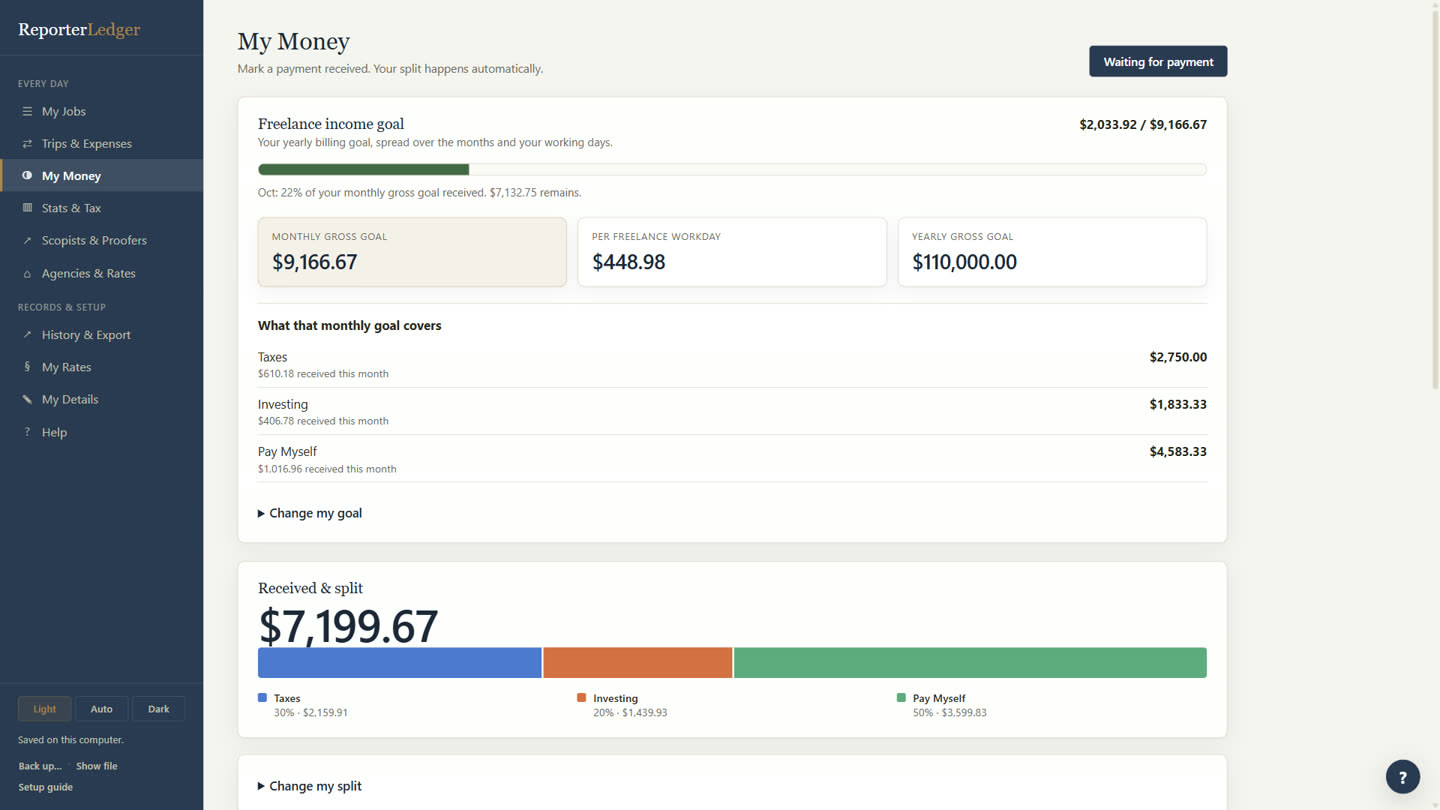
Every payment, split for you.
Mark a payment received and it’s divided the way you choose: what to set aside for taxes, what to save, and what’s yours to spend.
- Your own percentages
- A monthly goal from a daily take-home or a yearly number
- See what’s still waiting to be paid
Already added up.
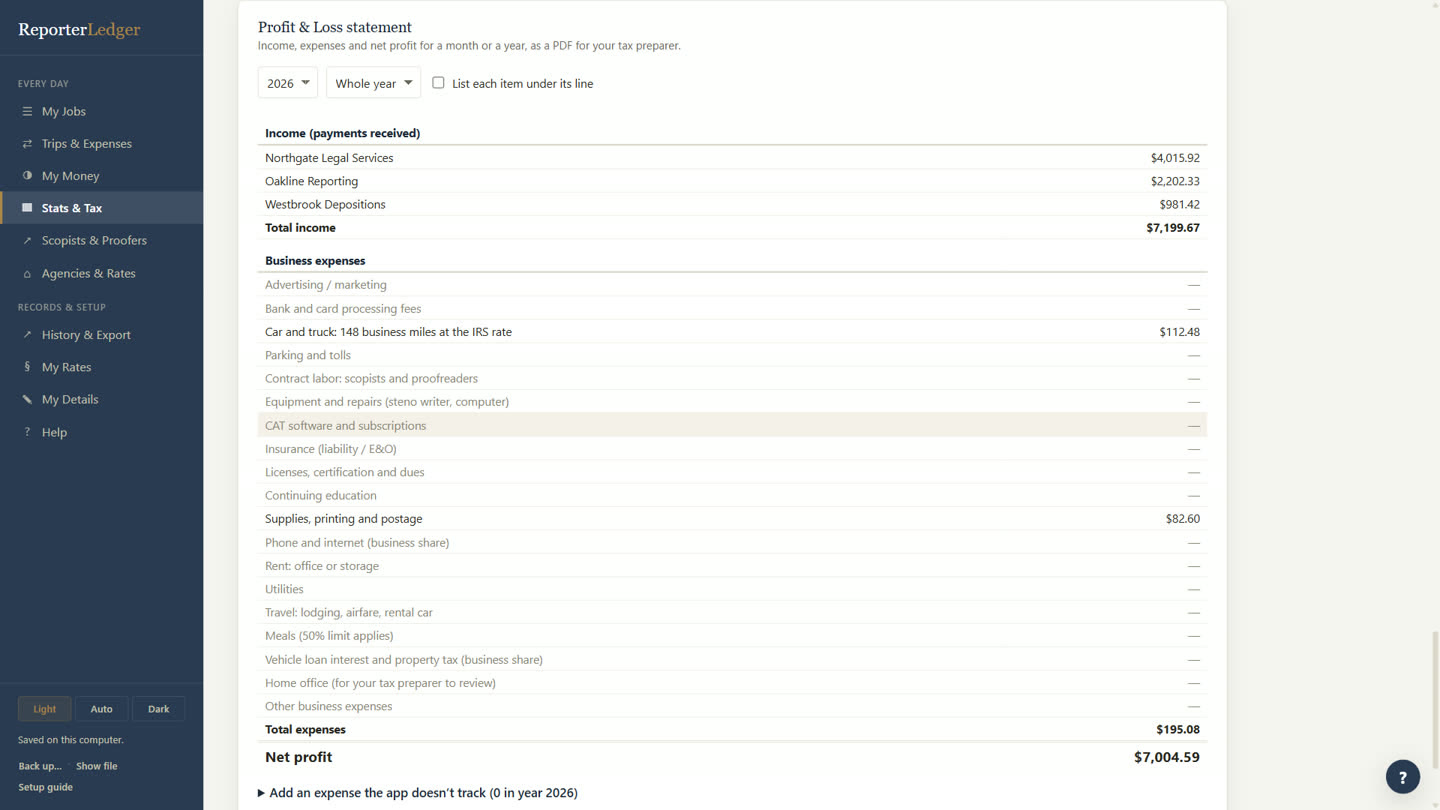
A Profit & Loss statement for your tax preparer, with income by agency, business mileage at the IRS rate and your expenses.
- Mileage looked up for in-person jobs
- Trips and expenses with receipts
- Yearly stats: pages, hours, average job, days to get paid
It all stays on your computer.
ReporterLedger isn’t a website you log in to. It’s an app on your own computer, and your ledger lives there.
The one thing that goes online: when you ask it to look up mileage for an in-person job, it sends just your office address and the job address to OpenStreetMap to measure the drive.
Up and running in ten minutes.
- DownloadClick Download for Windows and open the file when it finishes.
- InstallIt installs by itself in a few seconds and opens. No settings to choose.
- Set upA short guide asks for your name, your rates (start from sample rates if you like) and your agencies.
Good to know.
Is it really free?
Yes. ReporterLedger is free to download and use.
Does it work on a Mac?
Not yet. It’s for Windows 10 and 11 for now.
Do I need internet?
No. It works offline. The internet is only used if you ask it to look up mileage for a job.
Can I use my own rates?
Yes. You can start from sample California rates and change them, or type in all your own. You can also set different rates for each agency, and every job keeps the rates it was saved with.
What if I get a new computer?
Make a backup, install ReporterLedger on the new computer, and restore the backup. Everything comes with you.
Is this tax or legal advice?
No. ReporterLedger keeps your numbers organized and adds them up; it isn’t tax, legal or financial advice. Check with your tax preparer. The app is provided as-is.
A little less to stress about.
Made by a court reporter, for court reporters.